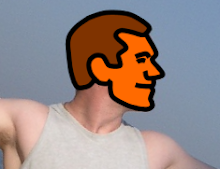
Ah... refactoring. As much as I like goofing around drawing rocks, grass and of course myself, life is not all fun and games. I'm about ready to start churning out lots of enemies and objects, but the internal architecture of my game code needs some work to make that a productive exercise.
I'm surprised how quickly I've been able to build up the game to where it is, but I've taken a bunch of shortcuts and made some compromises to enable that to happen. So time to go MIA for a few weeks, and when I come out the other side I'll hopefully be in a better position to be churning out features.
I'm going in!
Wednesday, February 18, 2009
MIA

Thursday, February 12, 2009
Ask ed
Have you ever noticed that nearly every magazine has a person named Ed, who is responsible for responding to readers' letters? Well I've just employed such an individual, and his surname is Itor!
Creating a game can be a long and arduous project, but there are moments of pure adrenaline. Now is such a moment! I've just implemented an inline game editor, and it rocks! It only places tiles right now, and you can't actually save yet, but the foundation is there and it just feels like such an important feature in terms of the overall game quality, because it removes all the tedious trial and error that would otherwise be required. Check it out!
Sunday, February 8, 2009
Progress report: Feb 8
Not much to say. Busy week, and I squeezed in just a few hours of work.
I did manage to add a few new moves, specifically 2 variations on wall jumping.
The player can now collect items too. The only items with meaning right now are keys, whereby doors can be locked until a specific key is found and then the door can be unlocked. Over time, items will become a fundamental aspect of the game, as the player will need to explore for items, trade them with NPC, etc.
Stay tuned for a video soon, featuring the new moves.
Saturday, January 31, 2009
Building blocks (part 2)
Let's take a closer look at the new tiles I've created. Keeping with the idea that the center area of the tile should be simple and repeatable, once again I've marked this area with a square.
Rock:

Grass:

Very simple, and hopefully effective.
Progress report: Feb 1
One month in, and I'm still going. That's some kind of record for me. :)
I spent a lot of time trying out various art styles this week. My attempts at incorporating real photos failed, primarily because there was always a dominant artifact in each picture which ruined the effect when repeated over and over.
I've finally settled back into a simple cartoon style similar to the placeholder art I've been using until now.
The big news is that I've designed the lead character. Check him out, along with simple grass and rock tiles:

If the character looks familiar, here is why:


You don't need a single bone of artistic talent to trace. :)
I'm not sure what I'll do next week. I need to add a wall jump move, because I want to start designing levels soon and that requires knowing what the player can do. But I'm also really keen to implement NPCs, as I have some ideas to make conversations interesting and context-sensitive without requiring much work. Stay tuned.
Saturday, January 24, 2009
Progress report: Jan 25
I've totally disregarded the goals I outlined for this week. The good news is that I have made progress, and some of the things are pretty cool! Introducing:
XML loading
Pretty much everything is now loaded from XML files. 1 goal achieved. :)
Intelligent tile rendering based on adjacent tiles
No need to specify whether you're defining a top-left corner tile, a bottom tile, etc. The tile engine looks at all adjacent tiles and automatically determines which sprite to render, so I only have to deal with a handful of truly distinct tiles rather than 16 separate sprites for each.
In the absence of a level editor, this makes the grid definition easy to read and to change. Did somebody say ASCII art? Check out the sample definition below.
<TileTemplate
    IsLeftSolid="false"
    IsTopSolid="true"
    IsRightSolid="false"
    IsBottomSolid="false"
    >
    <Acceleration Horizontal="-0.25" />
    <TileSize Width="40" Height="40" />
</TileTemplate>

<TileGrid IsActive="true">
    <TileSize Width="40" Height="40" />
    <GridSize Width="16" Height="9" />
    <TileTemplates>
        <TileTemplate
            Path="Object/Tile/SolidTile"
            GridSymbol="1"
            />
        <TileTemplate
            Path="Object/Tile/PlatformTile"
            GridSymbol="-"
            />
        <TileTemplate
            Path="Object/Tile/WindLeftTile"
            GridSymbol="("
            />
        <TileTemplate
            Path="Object/Tile/WindUpTile"
            GridSymbol="^"
            />
    </TileTemplates>
    <Rows>
        <Row Tiles="1111111111111111" />
        <Row Tiles="1111000000001111" />
        <Row Tiles="1100000110000011" />
        <Row Tiles="110(((^110000011" />
        <Row Tiles="1--(((^110011001" />
        <Row Tiles="1(((((^110000001" />
        <Row Tiles="100----110001111" />
        <Row Tiles="1000000110000001" />
        <Row Tiles="1111111111111111" />
    </Rows>
</TileGrid>
Wind
If you were paying attention, you would have noticed that the tile template above includes an Acceleration tag. When a character's position is updated, acceleration from the tile at the center point of that character's position is also applied.
Terrain
In my last progress report, I toyed with the idea of modelling terrain using a very simple technique of enforcing a minimum and maximum height at each point in a level. It is now working, albeit with some limitations.
In order to be able to draw terrain that transitions smoothly from each point to the next, I decided that each terrain would have a fixed number of available increments to choose from, and each of these increments would have an associated sprite. This could mean having to create a lot of sprites, but I'm leaning towards each segment in the terrain being very small (~10 pixels), in which case I shouldn't need more than 10 sprites for every terrain. I'm also planning to use the effect sparingly, partly to limit the amount of art I need to create.
Sound effects
Making sound effects should be a crime. It is ridiculously fun!
Microsoft has a tool called XACT, that can be used for managing sound effects and music. It is the same tool they give to AAA game publishers for the Xbox 360. You don't have to use it, but it gives you a lot of flexibility.
The general approach is that I fire off an audio cue from my code, and the audio system responds with a sound or set of sounds. For example, if I was making a tennis game I might fire off a "HitBall" cue, and the audio system would play the sound of a ball hitting a racquet (and possibly also a grunt, if it was a womens' match).
Where it gets really cool is that you can provide multiple sounds for a single cue, and specify the probability of each sound playing. In testing my code, I had the main character saying "Jump!" whenever he jumped. But very rarely, he would instead yell out "I'm flying!!!". You probably had to be there.
Anyway, here is an example of how to hook in an audio cue to an animation:
<Sprite Name="JumpRight">
    <SpriteAnimationFrames>
        <SpriteAnimationFrame
            Duration="0"
            AudioCue="MainCharacterJump"
            >
            <TextureRegion
                Left="0"
                Top="50"
                Width="50"
                Height="50"
                />
            <DisplayOffset
                Width="-3"
                Height="-2"
                />
        </SpriteAnimationFrame>
    </SpriteAnimationFrames>
</Sprite>
In my code, every sprite is also an animation, so I could create a singing, dancing tile if I wanted to. That might sound silly, but I am considering building a grass tile where the blades of grass slowly sway in the wind.
Here is a short video of some very basic terrain and wind effects:
Subscribe to:
Posts (Atom)