Sunday, August 23, 2009

Level 2


The last month has mainly been creating new levels, so there hasn't been a heap of new things to talk about. However, Liz kindly reminded me that I'm doing an injustice to the 1 or 2 people still reading this by posting nothing. In fact, I just checked my Google Analytics, and my Minnesota hits are as strong as ever. I promise to do better!


Anyway, you've seen screenshots from the outdoors area. The next level is full of ice, snow and water. Actually, the tiles are just a different color, but that doesn't sound as good. Check it out:


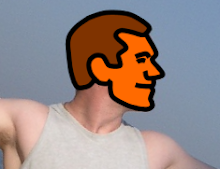
The tall guy makes his first appearance:


The easiest move in the game. Just hold right, and let the wind do the rest. Looks cool, though:


The Super Mario fireball thingy. Grab the key as it spins, then head for the bonus room:


One of many bonus rooms:


Underwater! All it really does is slow everything down, but it adds a little variety:


Another bonus room:


The command console in action. I blogged about this in January, but I only started using it recently:


Other things shown in these screenshots include:


  • Status bar now includes a timer. When a player completes a level, they will get a score based on the number of chroins they collected, their time, and maybe the number of times they died.

  • Red and yellow overlay to highlight overscan issues. The guidelines for making Xbox 360 Indie Games is that all important information must be within the main 80% of the screen, because some TVs have overscan problems that means the borders can get cut off. The red and yellow on the border of these screenshots is to help me see these issues, and won't appear on the final version.

  • Status bar transparency. The downside of the overscan guidelines is that, when there is no overscan, things like my status bar are stuck in the middle of the screen for no good reason. Because of this, I've given the status bar lots of transparency, to the point where you can hardly see it so it doesn't get in the way. However, anytime you collect a chroin or a key, the transparency disappears and it can be easily read, then after a couple of seconds it fades back into the background. It works pretty well.

  • I said earlier that the only difference between the levels is that the tiles are a different color. That was a bit of an exaggeration. Ice has very little friction, so the player skids almost endlessly if they are not careful.


You might wonder why an icy, cold area has palm trees in the background. Not to worry. I haven't gotten around to creating proper backgrounds. I'll do that once I've finished the game.


Next update coming soon.

Thursday, July 30, 2009

Face lift


I've given the menu system a bit of a face lift, plus added some proper backgrounds to get a feel for what everything will actually look like. Here is a previous:


Developer logo, which appears when the game is starting up:


Title screen:


Basic outdoors level:


Dark level:


Treasure room within dark level:


In other news, I bought an Xbox 360 last weekend and a Creators Club subscription. As of last Sunday, my game now runs on both Windows and Xbox 360!

Sunday, July 26, 2009

Mi casa es tu casa


I thought it might be interesting to piece together a full room. The repeating status bar and background are just artifacts of the way I put the image together, so ignore them.


Check it out.


Thursday, July 23, 2009

Random


Some random screenshots, just because I can.


Flick the switch to access the key:


My favorite move. Chris falls between the spikes, and catches himself in a wind current and flies up towards the otherwise unreachable door. It has to be seen to be appreciated:


Past my bedtime:


Collect the key to pass through the door:


One of many bonus rooms:


That's all for now.

Wednesday, July 22, 2009

Introducing...


Long before I put out a casting call, the artist formerly known as Debra wanted to be a part of my game. And now she is.


Introducing the quick walking, swift talking, fears zero, super hero, ... Debstar! Check out her transformation below:


And as she appears in the game (ignore the yellow squares, which are sensor points for initiating dialog):


Tuesday, July 14, 2009

Blender


Throw a bunch of random things into a single environment, and see what happens.


So, what's new?


  • You can see all the enemies in action, including how the fireballs form a line and rotate around 1 common point.

  • There is a switch on the ground, and a door with a red indicator on it. Hit the switch, and the door turns green and is unlocked. Moving platforms can be activated in the same way.

  • A log bridge. This acts as a platform, meaning you can jump through it from underneath.

  • A sign post. Hit this, and a bubble appears showing what the sign says.

  • Some coins in the bottom corner. Well... chroins to be exact. You can't see the face clearly because of the angle, but I think you can guess who it is!


And now you're pretty much up to speed with where I'm at.

I'm back


That was a waste of 3 months! Oh well, I have a resolution to complete.


I'm now getting stuck into the art for this project. I have a list of every image I need to build, and I'm working my way through it. Here is a preview of some baddies I've created.


Standard baddies:


A slightly taller version:


This dude always chases the player:


This spiky obstacle moves about the level:


And this fireball typically moves in a circle, ala Super Mario Bros.


That's all for now.